
Purchasing

Order what is running out

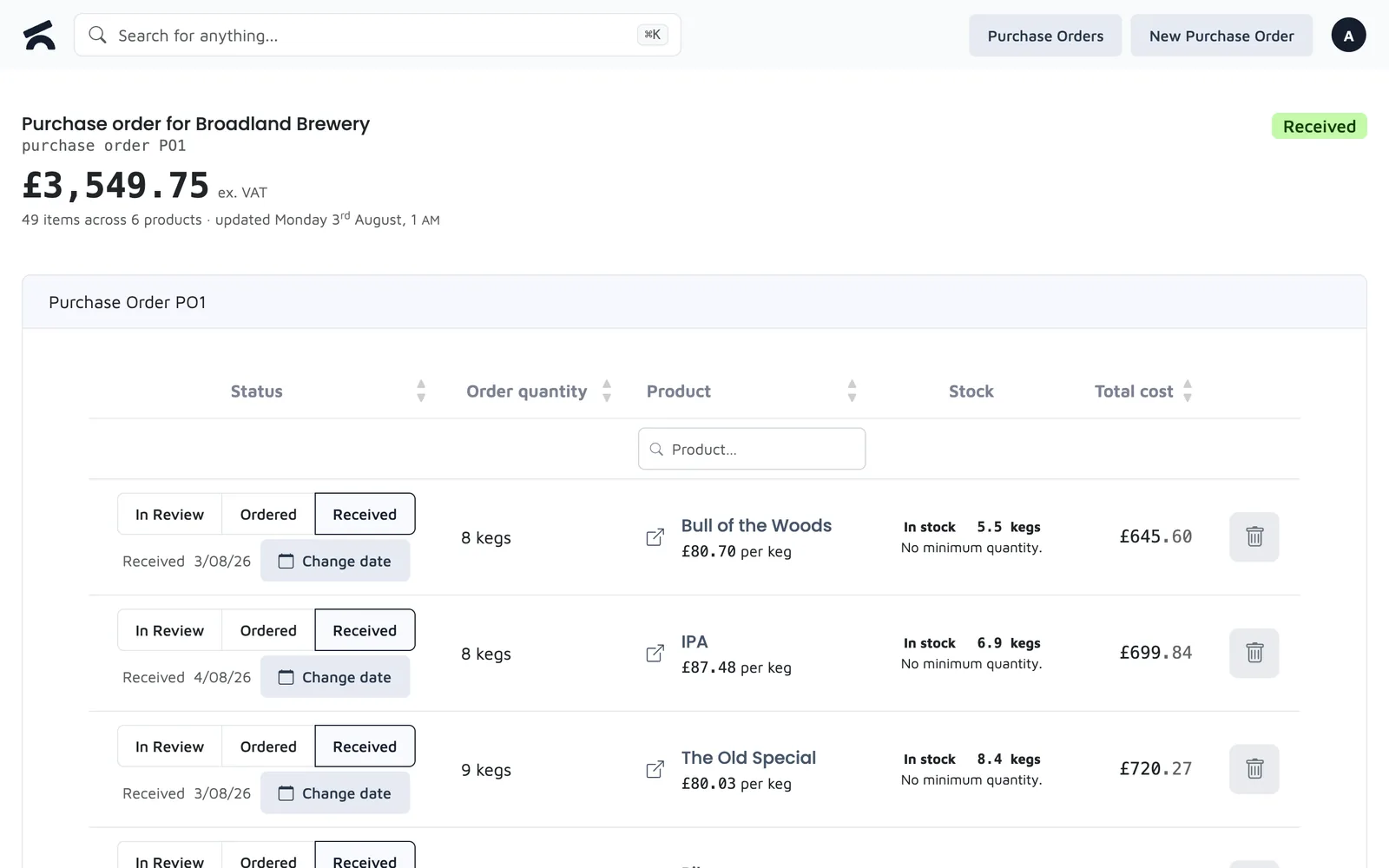
Purchase orders built from what needs reordering, with the cost as you go and the delivery received line by line.

Key Capabilities

From running low to delivered
1
Start from the supplier
Every product carries a supplier, so a new order lists the right catalogue. Create suppliers and categories from the product screen as you go.
2
Build it in minutes
Type a quantity or tap plus and minus; it saves on its own. Set a line's status in one tap and watch the total at the foot of the list.
3
Know what the stock is doing
The Sell Through report flags dead stock, lines to reorder soon and overstock against each product's own selling pace, so the next order is better than the last.

Frequently Asked Questions

How does purchasing work?

A purchase order starts from a supplier. You filter that supplier's products down to the ones that need reordering, type the quantities, and a running total shows the cost and what is already on order. When the delivery arrives you receive it line by line and flag anything short. The Sell Through report tells you which lines are running low or sitting dead before you start.

Can I manage multiple suppliers?

Yes. Each product has a supplier, and a new purchase order lists only that supplier's products, so every supplier gets their own order. You can create suppliers and categories from the product screen as you go, and bulk-edit the supplier across a filtered list of products.

See a purchase order built

Five minutes in the demo, from "what needs ordering" to the sent order.